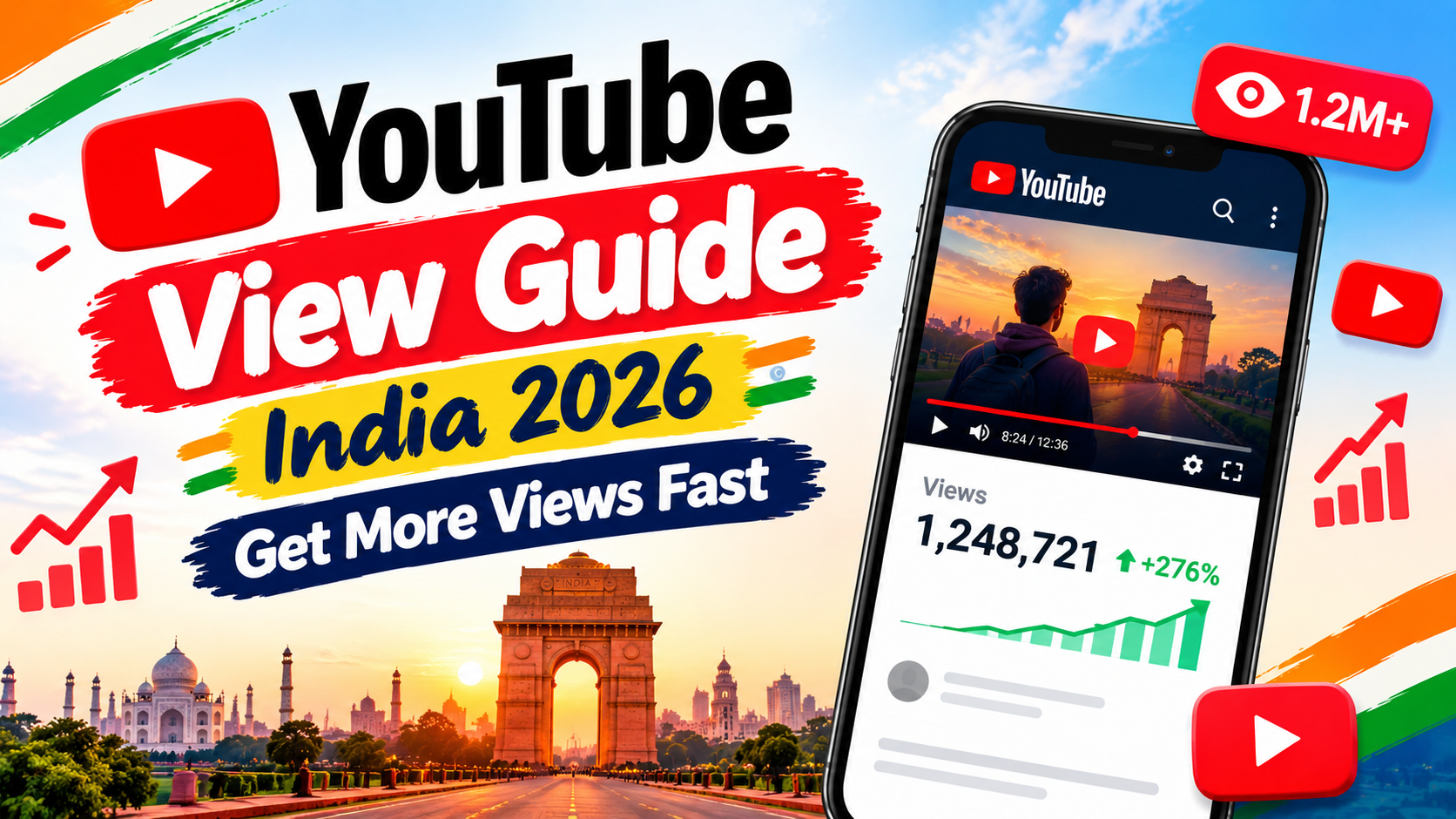
YouTube View Guide India 2026: Get More Views Fast
Every YouTube view starts with one tiny choice. Someone on a packed Mumbai local spots your thumbnail. They tap. Or they scroll past. That split-second moment happens millions of times a day. And it quietly decides whether your channel climbs or stands still.
India is the biggest stage for this game. The country has roughly 518 million YouTube users, more than any other nation, according to Global Media Insight's 2026 data. So the crowd is already here. The real puzzle is why that crowd isn't finding your videos yet. This playbook walks you through the whole path. First, you'll see how YouTube counts views today. Then you'll learn the small, repeatable fixes that grow your YouTube views in India week after week.
Quick answer: To get more YouTube views in India in 2026, pick topics Indians already search for. Win the click with a sharp title and thumbnail. Hold viewers through the first 30 seconds. Then guide them to your next upload with playlists and end screens. Check YouTube Analytics once a week and fix one weak spot per video.
The YouTube View Flywheel at a Glance
Here's the whole system in one picture. Keep it in mind as you read.
Impressions ──► Click (CTR) ──► Watch (Retention) ──► Next Video (Session)

     ▲                                                        │

└──────────── YouTube shows you to more people ◄─────────┘- Impressions: YouTube asks whether anyone cares about the topic. Your main tools are topic choice and YouTube SEO.
- Click: YouTube checks whether your packaging pulls people in. Thumbnails and titles do the heavy lifting.
- Watch: YouTube checks whether the video kept its promise. Hooks, pacing and editing matter most here.
- Session: YouTube checks whether the viewer kept watching. Playlists, end screens and cards carry them forward.
How a YouTube View Is Counted in 2026?
Here's the big news many guides still skip. Since 24 August 2026, YouTube counts a public view the moment playback begins, from the very first frame. There's no minimum watch time anymore. As Outlook India reported, the change is global and covers Shorts, long-form videos and live streams.
So your view counter will look healthier than before. Don't pass around the sweets just yet, though. Earnings and YouTube Partner Program (YPP) eligibility still depend on engaged views and watch time. The public number shows reach. The algorithm cares far more about whether people stayed.
How YouTube Counts Long-Form Views?
Think of it like a ticket scan at a PVR gate. The moment the video starts, the scan happens and one view gets added. It doesn't matter if the person leaves after three seconds. Replays can count too, although YouTube still filters out obvious spam loops. Views earned before 24 August 2026 stay exactly as they were. Old videos won't suddenly jump.
Here's the catch for long-form videos. A three-second tap adds to the counter but adds almost nothing to average view duration. A 12-minute Hindi phone review can show 10,000 views and still get weak recommendations if most people left early.
- When a public view counts: Before 24 August 2026, after roughly 30 seconds of play (YouTube never confirmed the exact number). Now, from the very first frame.
- Formats covered: Long videos, live streams and podcasts. Shorts had already switched in 2025.
- What pays you: Nothing changed. Earnings still depend on engaged views and watch hours.
- Older video totals: Views earned before the change stay exactly as they were.
How YouTube Counts Shorts Views?
YouTube Shorts made this switch much earlier, on 31 March 2025. Since then, every start or replay of a Short counts as a view, much like Instagram Reels. The stricter number didn't vanish, though. YouTube renamed it "engaged views" and placed it in YouTube Studio under Advanced Mode.
That's why a Short can show 50,000 views while engaged views sit near 18,000. Loops inflate the first figure quickly. For monetization and the 10-million-views YPP route, engaged views are what count. Our India guide to growing Shorts views digs into the Shorts feed itself.
Why YouTube Analytics Shows Different View Counts?
Ever noticed your public counter says 1,240 while Studio says 1,105? Relax. Nothing is broken. Different screens measure different things at different speeds. The public counter updates fast. The realtime card in Studio is only an estimate. Final analytics numbers arrive later, once YouTube strips out spam and invalid plays. That cleanup can take a day or two.
Engaged views will always sit below total plays. After the August 2026 change, expect that gap to feel wider on long videos. The fix is simple. Compare the same metric on the same screen every time.
- Public view counter: Counts every valid play from the first frame. It updates quickly but may be corrected later.
- Studio realtime card: Gives a rough estimate for the last 48 hours. The numbers shift as YouTube checks the data.
- Final analytics: Shows validated views after spam removal. These usually settle within 24 to 48 hours.
- Engaged views (Advanced Mode): Counts only plays where people kept watching. They update along with final analytics.
What Counts as a Legitimate YouTube View?
A legitimate YouTube view is simple. A real person chose to press play on their own device. That's it. They might arrive from search, a WhatsApp share or the home feed. The source doesn't matter. What matters is that a human decided to watch. YouTube doesn't treat the plays below as real. It may even remove them:
- Bot traffic or automated software that plays videos
- View-exchange or "sub4sub" groups where people watch only to get views back
- Hidden autoplay embeds stuffed onto unrelated websites
- Paid click farms and apps that reward people for watching
- You refreshing your own video again and again
How to Get More YouTube Views: Start With the Right Topics?
Most small channels don't have an upload problem. They have a topic problem. Posting daily won't help if nobody wants that topic. The fastest way to get more YouTube views is to meet search demand that already exists.
Picture a chai stall. Set it up in an empty lane and you'll wait all day. Set it up outside a busy coaching centre and customers find you. The five moves below place your videos where your target audience already walks.
Create Videos Around Topics Indians Search For
Start with what people type, not what you feel like filming. YouTube keyword research doesn't need costly tools. Type your topic into the search bar and read the autocomplete suggestions. They come from real searches. Next, open the Research tab in YouTube Analytics to see what your own audience looks for. Then read the comments on bigger channels in your niche. Questions there are free video ideas.
Always check viewer intent too. Someone searching "UPI payment failed but money deducted" wants a fix right now. A general "What is UPI?" video won't satisfy them. Finally, weigh the competition. If page one is full of million-subscriber channels, pick a narrower angle:
- "Best phones 2026" is too broad. Try "Best phone under ₹15,000 for BGMI in 2026" instead.
- "Home workout" is crowded. Try "15-minute home workout for office workers, no equipment."
- "UPI explained" is vague. Try "UPI payment failed but money deducted: what to do."
- "Study tips" is generic. Try "How to revise Class 12 Physics in 30 days before boards."
Spot YouTube Trends Before They Peak
Timing is half the battle with YouTube trends. Upload on the peak day and you'll land behind a hundred other creators. Upload five to ten days early and you'll ride the wave up. Google Trends helps here. Set the region to India, then switch the filter to "YouTube Search." You'll see which searches are rising before they explode.
India also runs on a very predictable calendar. Festivals, exam results, cricket and phone launches return every single year. Plan around them:
- January to February: Union Budget videos and board exam prep. Upload in the last week of January.
- March to May: IPL season, fantasy cricket and match analysis. Upload a week before the season opener.
- May to June: Board, JEE and NEET results, plus college admissions. Upload just before result dates.
- June to September: Monsoon recipes, travel and rain gadgets. Upload in early June.
- August to September: Independence Day, Ganesh Chaturthi and the new iPhone launch. Upload 7 to 10 days early.
- October to November: Navratri, Diwali sales and festive fashion. Upload by late September.
- December: Wedding season and year-end recaps. Upload by late November.
Optimize Every Video for YouTube Search
Good YouTube search optimization is mostly about clarity. Put the main phrase in the first 40 characters of your title. Repeat it naturally in the first two lines of the description. Add chapters with timestamps, because Google often shows them in its own results. Upload proper Hindi and English captions instead of relying on auto-captions alone.
Try multi-language audio tracks if you have them. A Tamil or Telugu dub can open a whole new audience. Tags matter far less than people think. Three to five are plenty. This kind of optimization is exactly what lifts video discoverability on both YouTube and Google. If you're starting from zero, our guide to your first 1,000 views covers the beginner basics.
- Title: Put the main phrase early and keep it to 50–60 characters. Example: "Jio vs Airtel 5G Speed Test in Delhi (2026)."
- Description: Answer the search in the first two lines. Example: "We tested both networks in five Delhi areas…"
- Chapters: Add timestamps that start at 0:00. Example: "0:00 Intro, 1:12 Connaught Place test."
- Captions: Upload edited Hindi and English caption files, not just auto-captions.
- Audio tracks: Add dubbed tracks for regional reach, such as a Tamil track on a Hindi video.
Build a Consistent Content Strategy
A strong YouTube content strategy is boring in the best way. Choose three content pillars. A tech channel might pick reviews, comparisons and fixes. Film in batches on one weekend day. Then release on a schedule you can actually keep. One long video and three Shorts a week beats seven videos followed by a month of silence.
Consistency trains your audience to come back. For timing, many Indian channels test 6 pm to 9 pm IST on weekdays. Still, trust your own data over anyone's rule. The "When your viewers are on YouTube" card in the Audience tab shows your real peak hours.
Promote Your Videos Beyond Your Existing Audience
New channels can't wait for the algorithm alone. Smart video promotion puts your link in front of a relevant audience, not random groups. Start a WhatsApp Channel for your niche. Post a 20-second teaser as an Instagram Reel. Our free Instagram views guide shows how to push those Reels further.
Share a short thread on X too. The Twitter followers playbook helps there. Answer related questions on Quora and add your video link. Team up with creators your size. Good distribution feels helpful, never spammy. Pasting links under other people's videos only annoys everyone.
How to Get More YouTube Impressions?
No impressions means no views. It's that simple. YouTube counts an impression when your thumbnail shows on screen for more than one second with at least half of it visible. Impressions are the doorway to every other number on your dashboard.
YouTube tests each new upload with a small group first. If that group clicks and watches, YouTube widens the circle to Browse, Suggested, Search and the Shorts feed. To earn more impressions, you need to pass that first small test. The four fixes below help you do it.
Write Titles That Earn Impressions
Strong video titles do two jobs at once. They tell people exactly what they'll get. And they make them a little curious. Keep titles near 50 to 60 characters so they don't get cut off on phones. Numbers and prices work brilliantly in India because people love a clear deal. Hinglish titles also perform well when your audience talks that way. "₹10,000 Mein Best Phone?" sounds natural to many viewers. Just skip fake shock words. They win one click and lose the viewer's trust.
- Weak: "My Kerala Trip Vlog." Stronger: "Kerala in 5 Days Under ₹20,000 (Full Plan)."
- Weak: "Laptop Review." Stronger: "HP Victus 15 After 6 Months: Worth It for Students?"
- Weak: "Easy Paneer Recipe." Stronger: "Dhaba-Style Paneer in 15 Minutes (No Cream)."
Design Thumbnails That Win the Click
Your thumbnail is a tiny poster in a very noisy market. Good thumbnail design keeps things simple. Use one clear face with a real emotion. Add three words at most. Choose bold contrast, like yellow on dark blue. Most Indian viewers watch on budget Android phones with dimmer screens. Check your thumbnail at the smallest size before you publish. If you can't read it in two seconds, neither can they.
Never repeat the title word for word on the image either. Your video packaging works best when the title and thumbnail share the story instead of saying it twice.
Improve Your Click-Through Rate
Your click-through rate (CTR) shows how often an impression turns into a view. According to YouTube Help, half of all channels and videos have an impressions CTR between 2% and 10%. So don't panic at 4%. Compare each video with your own channel average, not with a giant creator.
Also expect CTR to fall as a video reaches more people. That's normal. New viewers don't know you yet. They click less. Watch your CTR closely in the first 48 hours. If it sits far below your usual number, change the thumbnail first.
Test Different Titles and Thumbnails
Stop guessing and let your audience vote. YouTube Studio's Test & Compare feature lets you try up to three titles, three thumbnails or three combinations on one video. Here's the part many people miss. YouTube picks the winner by watch time share, not by clicks alone. A flashy thumbnail that brings quick quitters can still lose. Tests usually finish within two weeks. The feature works in desktop Studio only and doesn't support Shorts yet.
How to Make Every YouTube View Last Longer?
Audience retention decides whether YouTube keeps pushing your video. After the August 2026 change, clicks count instantly. Real watching is now the scarce, valuable signal that separates good videos from lucky ones.
There's no single magic number. Still, your average percentage viewed tells you a lot. As a common rule of thumb, keeping more than 70% of viewers through the first 30 seconds is healthy. For 8- to 12-minute videos, 40% to 50% average viewed is strong in most niches.
Hook Viewers in the First 30 Seconds
The first 30 seconds are your shop window. Skip "Hi guys, welcome back to my channel." Skip long logo intros too. Open with the payoff or the problem instead. A good video hook makes a promise and hints at proof. Here are three hooks that work well for Indian niches:
- Tech: "This ₹12,999 phone beat a ₹30,000 phone in one test. Let me show you."
- Finance: "If your salary lands on the 1st, this one SIP date trick matters."
- Cooking: "No oven. No cream. This paneer still tastes like it came from a dhaba."
Deliver on Your Title and Thumbnail Promise
People click because you made a promise. Keep it early. If your title says "iPhone 17 camera test," show a camera sample within the first minute. Don't bury it after five minutes of unboxing. When a video wanders, people feel tricked and leave fast. YouTube also runs quick surveys asking viewers how they felt about a video. That viewer satisfaction feeds recommendations. Clickbait might win you one Friday night. Then it costs you the whole month after.
Improve Pacing and Engagement
Attention drifts every few seconds, especially on a phone. Change something on screen every 20 to 40 seconds. Cut to B-roll, add a zoom or drop in a quick text pop-up. Remove every "umm" and dead pause. Use open loops too. Saying "the third tip saved me ₹2,000" keeps people waiting for it. Ask one clear question to spark comments. Good viewer engagement keeps people watching. Likes, comments and shares then lift your overall engagement signals together.
Find and Fix Retention Drops
Your retention graph is a free video coach. Open it for any upload and look for sharp dips. Each dip points to a moment that lost people. Early drops usually mean a slow intro. Mid-video drops often mean a boring section or an off-topic tangent. A slow slide at the end is normal. A cliff two minutes before the end, though, means your outro started too early. Fix the pattern in your next edit.
- First 10 seconds: Usually a slow intro or a promise mismatch. Open with the result instead.
- Around 1 to 2 minutes: Usually too much setup. Cut the background and get to step one.
- Middle of the video: Usually a tangent or a repeated point. Trim and tighten that part.
- Before the final minute: Usually an early "thanks for watching." Move your wrap-up to the last 20 seconds.
Study Your Top Moments
Spikes in the graph show moments people rewatched or shared. Those are your top moments. They tell you exactly what your audience loves. Picture a small Jaipur finance channel with 3,000 subscribers. Its graph spikes every time the creator shows a real bank statement on screen. So the creator moves real on-screen examples earlier in the next five videos. In a case like this, average view duration often climbs noticeably within a few uploads. Also check the Audience tab for "Other videos your audience watched." It reveals topics you could cover next.
How to Turn One YouTube View Into Many More
Here's a mindset shift. One person watching three of your videos beats three people who watch one and leave. YouTube rewards channels that keep viewers on the platform. So plan every upload around the next watch, not just this click.
Thinking in sessions also builds returning viewers, the people who come back without being asked. They're the backbone of lasting channel growth. Our guide to getting more YouTube subscribers explains how to turn them into loyal subscribers.
Create Follow-Up Videos From Your Best Performers
Your top videos are proven topics. They've already shown real demand. Squeeze more out of them. Sort your uploads by views and watch time from the last 90 days. Take the top 10%. Then plan follow-up videos around each one. You can make a part two, a deeper dive, a budget version or a regional-language version. If "Best phone under ₹15,000" did well, "Best phone under ₹10,000" is an easy next step. Track each follow-up against the original. Winners deserve a series.
Use Playlists to Increase Watch Time
Playlists turn one YouTube view into a binge session. Put your strongest video first so the playlist opens with a bang. Give playlists searchable names like "Budget Phone Reviews 2026" instead of "My Videos." Mark a set as a series playlist when the videos follow an order. That way YouTube can suggest the next part. Playlists add straight to your watch hours, which matters a lot if you're chasing monetization. Our 4,000 watch hours guide for Indian creators shows how playlists fit into that goal.
Use End Screens to Recommend Related Videos
End screens appear in the last 5 to 20 seconds of any video that's at least 25 seconds long. Use them well. Add one "Best for viewer" slot and one hand-picked video that continues the story. Point to related videos, not random ones. Then say the reason out loud: "Next, watch how this phone handles gaming." Keep your outro short. If people leave before the end screen appears, nobody sees it. Check your end-screen click rate in analytics every month and aim to beat the last one.
Add Cards to Guide Viewers to More Content
Cards are the small "i" pop-ups that appear during a video. You can add up to five. Place them where you mention another topic or right where your retention graph dips. A card at that moment offers a better next step than letting the viewer drift off YouTube entirely. Avoid the first 30 seconds, because cards there pull people out too early. You can customize the card text. Make it tempting, like "Want the ₹10K version?"
Turn Shorts Viewers Into Long-Form Viewers
Moving viewers from Shorts to long-form is hard but possible. Use the "Related video" link on each Short to point at one specific long video. Cut Shorts from your best long videos and end them on a cliffhanger: "Full test in the linked video." Pin a comment with the link too. Be realistic, though. Many Shorts viewers never click through. Track the crossover in analytics before you make Shorts your whole plan. Our Shorts views growth guide shares more ways to build that bridge.
How to Use YouTube Analytics to Get More Views?
YouTube Analytics tells you why your views moved, not just how many you got. Most creators check subscribers and stop there. That's like checking a cricket score without looking at the wickets.
Your dashboard has dozens of numbers. You really need five. Watch these and you'll know exactly where each video leaks.
- Impressions: How often YouTube displayed your video. If it's low, pick better topics and improve search optimization.
- Impressions CTR: Whether your packaging works. If it's low, try a new thumbnail or title.
- Average view duration: Whether the video holds people. If it's low, write a stronger hook and edit tighter.
- Traffic sources: Where your views come from. Put more effort into your strongest source.
- Returning viewers: Whether people come back. Build series, playlists and a steady schedule.
Track Impressions and Click-Through Rate
Open the "Impressions and how they led to watch time" funnel in the Reach tab. It shows the whole journey in one chart. High impressions with low CTR means your packaging is the problem. Low impressions with a good CTR means the topic is too narrow or the video is too new. Compare the first 48 hours of each upload with the first 48 hours of your last ten videos. That tells you quickly whether to change the thumbnail or simply wait.
Analyze Audience Retention
Don't just read the raw retention number. YouTube shows how your video compares with "typical" retention for videos of a similar length. That relative view is far more useful. A 35% average might be great for a 20-minute video but weak for a 3-minute one. Open the graph and find the "Intro," "Spikes" and "Dips" labels. Then write down one lesson from each video. Over a month, patterns jump out.
Monitor Traffic Sources
Traffic sources show where your views come from. Each source needs a different fix. This report saves you from random guessing. If Search dominates, keep making search-led videos. If Suggested is growing, study which channels you appear next to. External traffic shows whether your WhatsApp and Instagram sharing actually works.
- YouTube search: People found you by typing a query. Make more search-led videos.
- Browse features: The home feed is recommending you. Keep your packaging strong for regular viewers.
- Suggested videos: You're showing up beside other videos. Cover topics close to bigger videos in your niche.
- Shorts feed: Your Shorts brought the view. Link each Short to a long video.
- External: Views came from WhatsApp, Instagram, Google or blogs. Double down on whichever one works.
- Playlists: Viewers are binge-watching. Build more series playlists.
Find Which Videos Bring Returning Viewers
Open the Audience tab and look at new versus returning viewers. Then check which uploads pull your returning audience back most often. Those videos reveal your core format, the thing people subscribed for in the first place. Make more of them. Videos that only bring new viewers are useful too. They work as the front door for newcomers. A healthy channel needs both kinds.
Use Analytics to Improve Your Next Video
Data only helps if you act on it. Set aside 20 minutes every Sunday for a quick review. Keep it light and repeatable. Here's a simple routine that fits any growth plan:
- Check the CTR and average view duration of last week's upload against your channel average.
- Open the retention graph and note the biggest dip and the biggest spike.
- Look at the top traffic source and ask why it worked.
- Pick one change for the next video, like a new hook style or a tighter intro.
- Write it down, then compare the results next Sunday.
How to Avoid Fake YouTube Views and Penalties?
India's internet is full of offers like "10,000 views for ₹99." They look tempting when your video is stuck at 200. But YouTube's fake engagement policy bans anything that artificially inflates views, likes or subscribers. It also warns that channels breaking the rule may be terminated.
The first-frame counting change makes cheap bot views even easier to spot. Bots now add to the counter instantly. Yet they add nothing to watch time, engaged views or satisfaction. That mismatch is exactly what YouTube's systems are built to catch.
Why Buying Fake Views Hurts Your Channel?
Fake views damage the very signals that bring real views. Bots rarely watch for long. Your average view duration drops. Your CTR looks strange too, because thousands of plays arrive with no matching impressions. Worse, YouTube starts showing your video to the wrong people. It learns from whoever "watched." Real recommendations then shrink. On top of that, YouTube can remove the views, take down the video or strike the channel. It can also reject your Partner Program application. You pay once and suffer for months.
How YouTube Detects Invalid Traffic
YouTube checks every play against many patterns. Sudden spikes with no clear traffic source raise flags. So do plays from the same few IP addresses or devices. Views that stop at zero seconds look suspicious too. A Hindi cooking video suddenly getting 20,000 plays from one foreign country also looks odd. During validation, suspicious views may freeze or disappear. Ad revenue from invalid traffic gets deducted as well. That's why some creators see their counts fall a day after a spike.
Focus on Real Viewers and Genuine Engagement
Real growth can still move fast. Want paid reach? Run a small Google Ads video campaign targeted at your Indian state and language. Real people see it. YouTube treats those views as legitimate. Use community posts and polls to wake up your existing audience. Partner with creators your size.
As for SMM panels, SMMYodha included, here's the honest truth. Panels can add numbers. They can't add a person who cares about your content. YouTube's policy also bans paid inflation. Any bought views carry real risk. If you're weighing that trade-off, read our plain guide to how SMM services work in India first. Then decide with open eyes.
YouTube Views FAQ for Indian Creators
These are the questions Indian creators ask most. Each answer is short enough to act on today. Still stuck? Find the one answer that matches your problem and fix that single thing first.
How can I get more views on YouTube in India?
Choose topics with real search demand. Write a clear title and design a bold thumbnail. Hook people in the first 30 seconds and keep the pacing tight. Link each video to the next with playlists, end screens and cards. Promote on WhatsApp and Instagram. Review your analytics weekly and fix one weakness per upload.
When does YouTube count a view in 2026?
Since 24 August 2026, a public YouTube view counts the moment playback starts, from the very first frame. This applies to Shorts, long-form videos and live streams. Earnings and YPP eligibility still depend on engaged views and watch hours, not the public counter.
How long does it take to get YouTube views?
It varies. Most new channels see steady traction after three to six months of consistent uploads. That usually means 30 to 50 videos. Search-based videos grow slowly and keep earning for years. Trend videos spike fast and then fade. A mix of both gives you quick wins and long-term growth.
Why are my YouTube views suddenly dropping?
Common reasons include a falling CTR, audience fatigue with one format, seasonal dips like exam months and spam views removed during validation. A sudden shift away from your usual topics can confuse your audience as well. Check traffic sources and CTR first. They usually reveal the cause within minutes.
Do Shorts help increase long-form YouTube views?
Sometimes, but not automatically. Shorts and long videos often attract different audiences. Shorts work best as trailers. Cut clips from your long videos, use the "Related video" link and point each Short at one specific upload. Then use analytics to track how many Shorts viewers actually cross over.
Do YouTube views help with monetization?
Yes, but only indirectly. To earn ad money through the YouTube Partner Program, you need 1,000 subscribers. You also need either 4,000 public watch hours in 12 months or 10 million public Shorts views in 90 days. Revenue then depends on engaged views, niche and ad demand. Finance and tech usually earn more per view than entertainment.
Key Takeaways
- Since 24 August 2026, every YouTube view counts from the first frame. Watch time and engaged views still decide earnings and reach.
- Pick topics Indians already search for. Time trend videos 5 to 10 days before the peak.
- Win the click with a 50–60 character title and a thumbnail readable on a budget phone.
- Hook viewers in the first 30 seconds and fix every sharp dip in your retention graph.
- Use playlists, end screens and cards to turn one view into a full session.
- Skip fake views. They wreck the exact signals that bring real ones.
Get More YouTube Views, One Video at a Time
Growth rarely comes from one viral hit. It comes from small, steady fixes. Better topics bring impressions. Sharper packaging wins clicks. Stronger hooks earn watch time. Smart playlists then turn each YouTube view into a longer session. That's the flywheel. It keeps spinning as long as you feed it.
So here's your task for tonight. Open your last video. Fix one thumbnail and rewrite one intro. Then watch what happens over the next week. Want more growth guides built for Indian creators? The SMMYodha blog adds new ones every week. Your next 1,000 views start with one better upload.